
System Specification // COMMUNITY

Find It

A community-powered lost & found platform

Type:COMMUNITY
Platform:Cross-Platform
Version:2.4.0
Status:Active
Release:Q4 2024
lockSYS://find-it.app/production
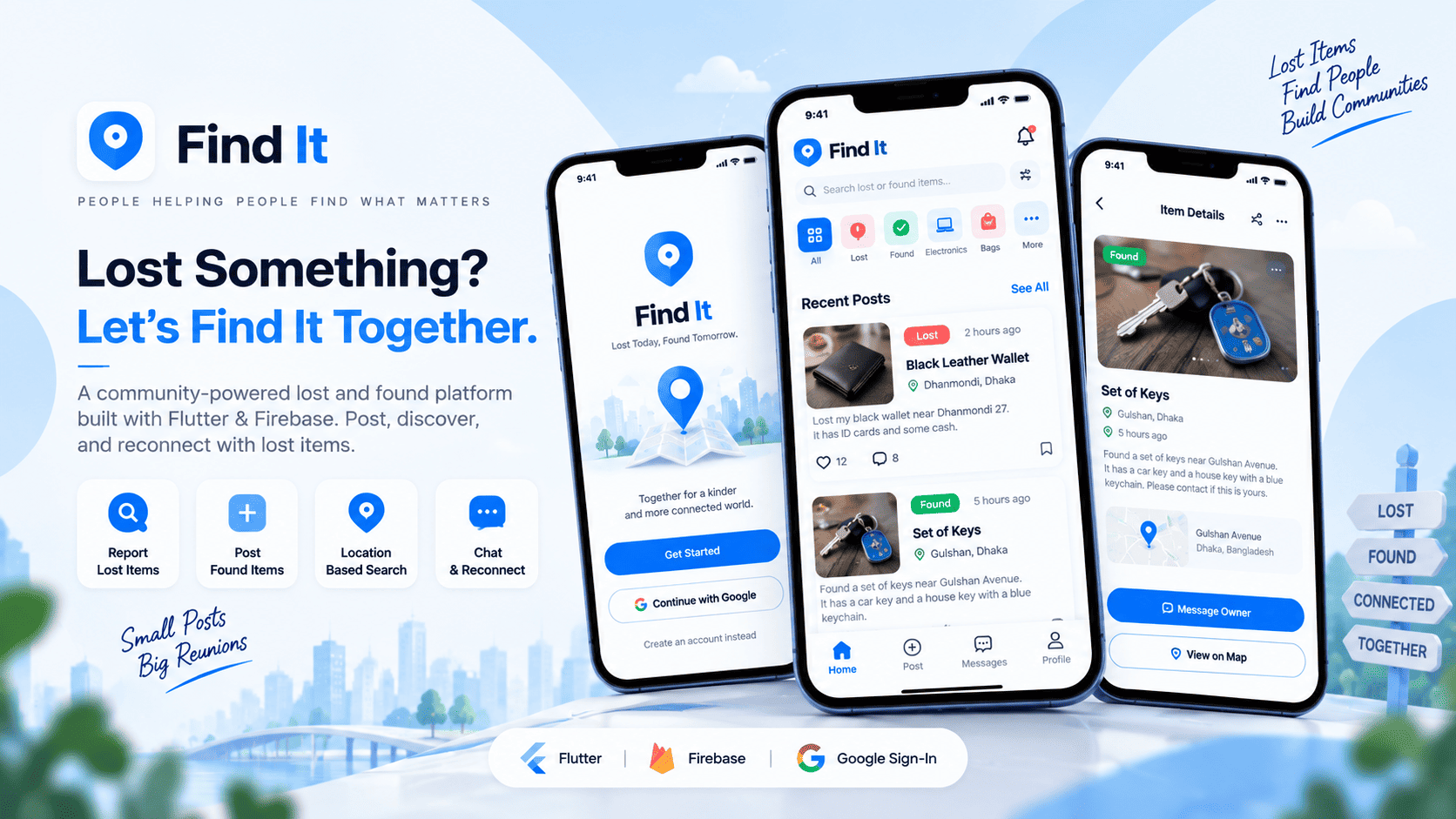
📱 Overview Mockup
Find It - View 1
zoom_inClick to expand full screen

Project Snapshot

Essential engineering parameters and deployment specifications.

Source Code
100% Included

Complete production repository

Support
6 Months

Direct developer onboarding

Updates
Lifetime Free

Continuous patch releases

Documentation
Comprehensive

Architecture & deployment guide

Understanding The Architecture

In-depth breakdown of product goals, problems solved, and technical value.

01

The Idea

Create a community-driven platform where people can report lost and found belongings, provide useful information such as photos and location, and connect directly with other users to help return items to their rightful owners.

02

The Problem

Lost belongings are often reported across scattered social media posts, local groups, and messaging platforms, making it difficult to discover relevant information or contact the right person. Find It brings these reports into one structured platform with searchable posts, images, locations, and user communication.

03

The Solution

The application combines Flutter with Firebase Authentication, Google Sign-In, Cloud Firestore, and Firebase Storage to create a connected lost-and-found workflow. Users can authenticate, publish item reports with images and locations, browse relevant posts, view details, and communicate with other users.

04

The Engineering Value

Find It provides a practical foundation for building a community marketplace or lost-and-found service. The architecture can be customized with additional categories, moderation tools, notifications, location-based discovery, verification workflows, and organization-specific features.

update
Current Build
2.4.0
architecture
Core Stack
Flutter & Dart
devices
Target Ecosystem
Cross-Platform

Live System Demonstration

Inspect the system running live with simulated real-world telemetry and workflows.

open_in_newOpen on YouTube ↗

Engineered Tech Stack

Production dependencies, frameworks, and architectural building blocks.

Flutter
Dart
Firebase Authentication
Google Sign-In
Cloud Firestore
Firebase Storage
Firebase Cloud Messaging
Android Studio

Installation Manual & Deployment

terminal — bash
INSTALL.md
1. Download and extract the project source code.
2. Open the project in Android Studio or VS Code.
3. Configure the Firebase project for Android.
4. Add the required Firebase configuration files.
5. Configure Google Sign-In for the Firebase project.
6. Configure Firebase Authentication, Firestore, and Storage.
7. Run `flutter pub get`.
8. Connect an Android device or start an emulator.
9. Run the project with `flutter run`.
10. Build a release APK with `flutter build apk --release`.

Pricing & Inventory

SPECIAL OFFER

Full Commercial License

Complete production source code with unlimited commercial deployment rights.

Available Rates
BDT3,5004,500
USD3241

check_circleWhat's Included

  • check_circleFull Flutter Source Code
  • check_circleFirebase Authentication Integration
  • check_circleGoogle Sign-In Integration
  • check_circleCloud Firestore Integration
  • check_circleFirebase Storage Integration
  • check_circleLost & Found Posting System
  • check_circleImage Upload & Item Details
  • check_circleLocation-Based Item Information
  • check_circleUser Profile System
  • check_circleMessaging / Chat Functionality
  • check_circleProject Setup Documentation

cancelNot Included

  • cancelFirebase Usage & Cloud Costs
  • cancelCustom Domain or Hosting
  • cancelThird-Party Paid Services
  • cancelCustom Branding & Re-design
  • cancelPlay Store / App Store Developer Fees
  • cancelOngoing Production Maintenance

Frequently Asked Questions

The project includes the Flutter source code, Firebase authentication, Google Sign-In integration, Firestore and Storage integration, lost and found posting workflows, image handling, user profiles, messaging functionality, and project setup documentation.
Find ItReady for Deployment